BSR Explained: What Amazon Best Seller Rank Really Tells You
BSR is not just a vanity metric — it is a real-time signal of sales velocity, demand trends, and market competition. Here is how to read it correctly.
Every Amazon product has a Best Seller Rank. Most sellers glance at it, note whether it looks good or bad, and move on. That is a mistake. BSR is one of the most information-dense metrics on the platform — but only if you know how to read it correctly.
This guide explains exactly what BSR measures, why the number alone is almost meaningless, and how to use BSR history to make confident product research decisions.
What BSR actually measures
BSR is a relative ranking of how well a product is selling compared to every other product in the same category. A BSR of #1 means that product has sold more units recently than every other product in that category. A BSR of #100,000 means 99,999 products are outselling it.
The key word is recent. Amazon recalculates BSR hourly based on a rolling window of sales data — recent sales are weighted more heavily than older ones. This means BSR is a real-time signal, not a historical average.
BSR is category-specific. A product ranked #500 in Clothing, Shoes & Jewelry is outselling almost every product in that massive category — which likely represents strong sales volume. The same rank in a tiny sub-category like Kazoos might represent only a few units per month. Always interpret BSR in the context of its category.
Why the current BSR number alone tells you almost nothing
Here is the fundamental problem with snapshot BSR analysis: you are seeing one data point in what could be a volatile, unpredictable trend.
A product with a current BSR of #2,000 could be: a rising product that was at #20,000 three months ago and is growing fast; a declining product that was at #200 six months ago and is collapsing; a seasonal product that spikes to #500 every November and sits at #50,000 the rest of the year; or a manipulated product whose BSR was artificially driven down by fake orders that will not repeat.
Same number. Four completely different business realities. This is why BSR history is the only version of BSR that matters for serious product research.
How to read BSR history
The BSR History tab in AMZDataLens plots the full rank timeline for a product across its categories — both the main category and any sub-categories. You can zoom into any time range from 1 hour to all-time.

When reading a BSR history chart, look for these four patterns:
- Steady downward slope (improving rank) — the ideal signal. Demand is growing consistently. This is the pattern you want to see in a niche you are entering
- Flat line with minor fluctuations — stable, proven demand. The product has found its market level. Lower risk, lower upside
- Seasonal spikes — the BSR improves dramatically for 6–10 weeks per year, then returns to a high number. Confirm the pattern repeats across multiple years before treating it as reliable
- Erratic spikes with no pattern — high volatility, possibly promotional manipulation or an unreliable supply chain. Treat with caution
The BSR drop count — a hidden sales signal
Every time a product makes a sale, its BSR rank number drops (improves). By counting how many times the BSR dropped in a given period, you can estimate actual sales volume with surprising accuracy.
AMZDataLens surfaces this as BSR Drops (30D) on the product Overview tab. A product with 42 BSR drops in 30 days is selling roughly 1–2 units per day. A product with 300 drops is selling 10+ units per day. This is a more reliable sales estimate than the revenue figure alone, because it is based on observed rank changes rather than a formula.
Cross-reference BSR drops with the Sales Estimator tab. If the drop count suggests 40 sales per month but the estimator shows 400, investigate why. A large discrepancy usually means the product has multiple variations sharing a parent ASIN — the BSR reflects the parent, while the estimator may be calculating the variant.
BSR across multiple categories
Most products are ranked in both a main category and one or more sub-categories. These ranks tell different stories and should be read together.
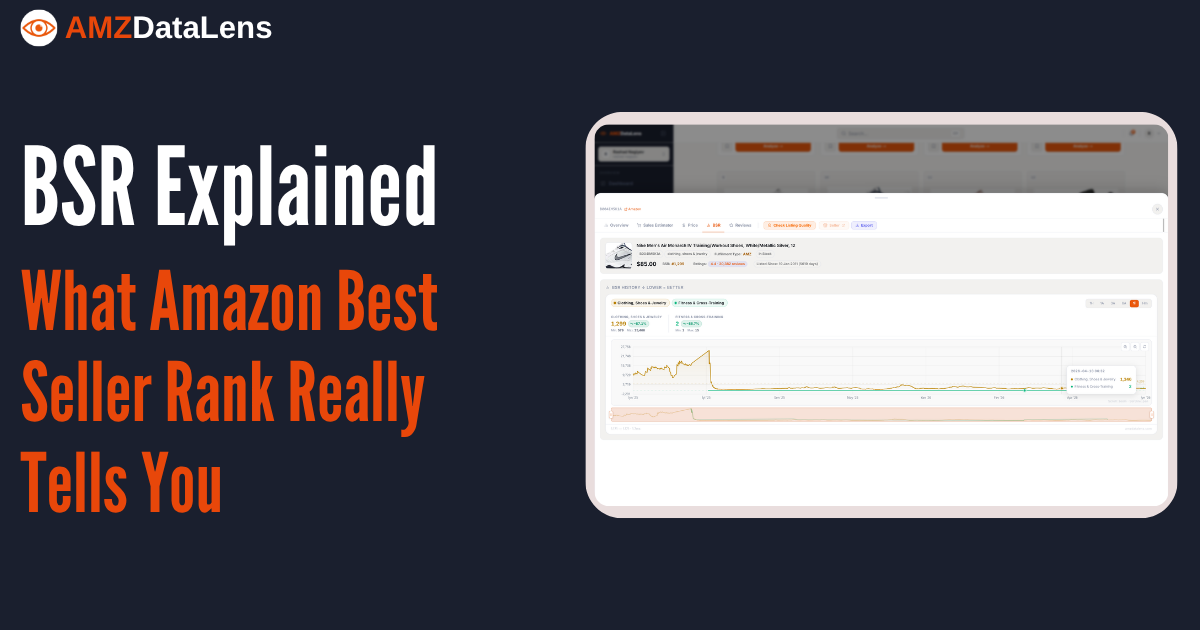
In the Nike Air Monarch IV example: the main category rank (Clothing, Shoes & Jewelry) sits at #1,299 — strong performance in a massive category. The sub-category rank (Fitness & Cross-Training) sits at #2 — this product is the second best-selling fitness shoe on Amazon. That sub-category rank is the more actionable number: it tells you exactly where in the competitive landscape the product sits.
Sub-category BSR is often the more useful metric for competitor analysis. If the top 3 products in your target sub-category all have BSRs under #10, the niche is extremely competitive and dominated by established products. If the top 3 are in the #50–#200 range, there is room for a new entrant to rank.
Using BSR to estimate category sales volume
One of the most useful applications of BSR is estimating the total sales volume of a category — not just a single product. Here is a simple method:
- Find the BSR of the #1 product in your target sub-category and estimate its monthly sales using a BSR-to-sales conversion (available in AMZDataLens Sales Estimator)
- Find the BSR of the #10 product and estimate its monthly sales
- The gap between #1 and #10 tells you how concentrated demand is — if #1 makes $50K/month and #10 makes $30K/month, demand is spread across many sellers. If #1 makes $200K and #10 makes $2K, one product dominates
- A niche where products #3 through #8 each generate $5K–$15K/month is ideal for a new entrant — enough total demand, no single dominant player
Common BSR mistakes to avoid
- Treating a single BSR snapshot as a reliable sales estimate — always check the 90-day trend
- Comparing BSR across categories — a #5,000 rank in Electronics and a #5,000 rank in Garden mean very different sales volumes
- Ignoring the sub-category BSR — it is often more actionable than the main category rank
- Dismissing a product because its current BSR is high — check the history first. A high current BSR with a strong improving trend is often a better entry than a stable low-BSR product with flat growth
- Assuming a low BSR means high profit — BSR measures sales velocity, not margin. A product can have excellent BSR and terrible margins due to high FBA fees or heavy discounting
Use the AMZDataLens BSR History tab with the maximum time range (Hm — all time) when evaluating a new product. A short-term view can be misleading. What looks like a rising star on a 3-month chart might be a recovering product that peaked two years ago and has never returned to those levels.
BSR is not a score. It is a live feed of relative market position, updated hourly, with a full history attached. Sellers who read it as a static number leave most of its value on the table. Sellers who read it as a trend — and cross-reference it with price history, review growth, and sales velocity — have a significant informational edge over everyone else in their niche.
Tags

