How to Use Amazon Product Finder to Discover Untapped Niches
Keyword search shows you what already exists. Filter-based product discovery shows you what the market is missing. Here is how to use Product Finder to find opportunities before everyone else.
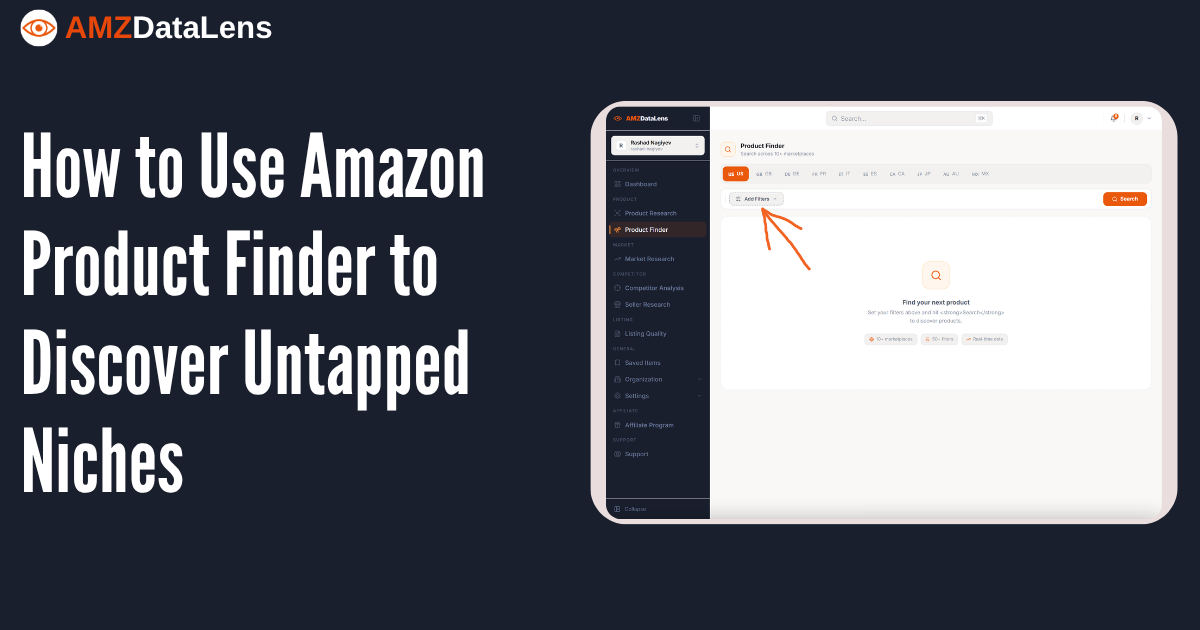
Most Amazon sellers research products the same way: they think of a keyword, search for it, look at what is already selling, and try to figure out if there is room for one more. This approach has a fundamental flaw — you can only discover products that you already know exist.
Product Finder works differently. Instead of starting with a keyword, you start with the criteria that define a good product — BSR range, price point, review count, sales velocity, competition level — and let the data surface every product across 10+ Amazon marketplaces that matches those criteria. You are not searching for a specific product. You are searching for a specific type of opportunity.
Keyword search vs filter-based discovery — the core difference
When you search 'water bottle' in Product Research, you see the products that rank for that keyword. You are looking at a pre-filtered slice of Amazon — the products that the algorithm has decided are most relevant to that term. This is useful for competitive analysis, but it is inherently backward-looking.
When you open Product Finder and set filters — BSR under 15,000, price between $15 and $40, fewer than 200 reviews, monthly sales above 300 units, FBA only — you are not asking 'what is selling for this keyword?' You are asking 'what products exist right now that meet my exact business criteria?' The results can include products in categories you never would have thought to search.

Product Finder searches across 10+ Amazon marketplaces simultaneously. The same filter set that finds a competitive niche in the US might reveal a completely untapped opportunity in DE or JP. Always run your best filter combinations across multiple marketplaces before concluding a niche is saturated.
The filter panel — what you are actually setting
The filters in Product Finder are organised into logical groups, each targeting a different dimension of product opportunity. Understanding what each group controls is the foundation of effective discovery.

- Sales & Rank — BSR range and monthly unit sales. These two filters together define the velocity tier you are targeting: how popular the product needs to be and how consistently it sells
- Reviews & Rating — review count range and minimum star rating. Use this to control competitive barrier: low review count means easier entry, high minimum rating filters out low-quality niches
- 90-Day Averages — 90-day average BSR, price, and sales. These are more reliable than point-in-time snapshots and filter out products whose current metrics are temporary anomalies
- Trend & Competition — BSR trend direction, competition level, active seller count. Use these to find niches that are growing and not yet crowded
- Buy Box & Listing Flags — FBA/FBM, Amazon 1P presence, Subscribe & Save eligibility. Filter out ASINs where Amazon competes directly or where market structure makes third-party winning difficult
- Title Keywords — find products whose titles contain specific terms without running a keyword search. Powerful for finding variants and adjacent niches within a product type
- Categories — narrow results to specific Amazon categories or sub-categories
- Weight & Dimensions — critical for FBA cost control. Filter for lightweight, compact products to keep fulfilment costs predictable
- Date & Tracking — filter by listing age and whether a product is already in your saved items
A practical filter combination for finding low-competition opportunities
Theory is useful, but a concrete example makes it real. Here is a filter combination designed specifically to surface products with proven demand but manageable competition — the sweet spot for new entrants.
- BSR: Max 15,000 — products ranked this well have genuine, consistent sales. Beyond 15,000 in most categories, sales become sporadic
- Monthly Sales: Min 300 units — confirms the product is not a niche novelty but a real, recurring-demand product
- Review Count: Max 300 — keeps the competitive barrier manageable. Above 500 reviews, you need a strong differentiation story and a significant launch budget
- Min Rating: 3.8 stars — filters out products with fundamental quality problems while still including products with improvement opportunities
- Competition Level: Low or Medium — excludes the most crowded ASINs where price wars have already begun
- Fulfillment: FBA only — ensures you are comparing apples to apples on logistics costs
- 90-Day BSR Average: Max 20,000 — confirms the BSR is not a temporary spike but a sustained performance level
Start broad and narrow down. Run the filter combination above first — you might get hundreds or thousands of results. Then add one filter at a time to narrow: add a category, then a price range, then a weight limit. Each step removes noise and surfaces more targeted opportunities. Never set all filters at once from the start — you risk filtering out the best results.
Reading the Product Finder results grid
When your filters return results, the grid shows each product with its key metrics visible at a glance: price, BSR, category, rating, review count, monthly sales, and fulfillment type. This is your first pass — scan for products that stand out positively or negatively from the others.

What to look for in the results grid:
- Products with low review counts but strong BSR — these are the highest-value finds. Proven demand with a low entry barrier
- Products in unexpected categories — if your shaker bottle filter returns a product listed under Baby or Kitchen & Dining rather than Sports, that is a cross-category opportunity worth investigating
- Products with recent launch dates and strong BSR — new products with fast sales velocity signal an emerging trend, not just a mature niche
- Products with high purchase frequency badges — Amazon's '600+ purchases/month' badge is public social proof of demand that supplements BSR data
From filter result to full analysis
Product Finder is the discovery layer — it surfaces candidates. The full analysis happens in the product detail panel, which opens when you click Analyze on any result. This is where you verify that the filter metrics hold up under deeper scrutiny: checking the BSR trend history, validating the sales estimator, reading the price history, and assessing the review growth curve.
A product that passes your filter criteria is a candidate, not a decision. The decision comes after you have read the full data story — BSR trend confirming consistent demand, price history showing stable margins, review growth showing no manipulation signals, and margin analysis confirming the economics work after FBA fees and landed COGS.
Use the Save function on every promising product from the results grid before clicking away. Your saved items persist across sessions, letting you build a shortlist of candidates over multiple research sessions before making any sourcing decisions. Product Finder is most powerful as a repeated process, not a single search.
The fundamental advantage of filter-based discovery is that it removes confirmation bias from your research process. When you search a keyword, you see what you were already thinking about. When you set criteria and search, the data shows you what is actually there — including opportunities you would never have found by thinking about them first.
Tags

